> For the complete documentation index, see [llms.txt](https://guide.taskopad.com/llms.txt). Markdown versions of documentation pages are available by appending `.md` to page URLs; this page is available as [Markdown](https://guide.taskopad.com/fundamentals/task/task-creation-process/stop-recurring-task.md).
# Stop Recurring Task
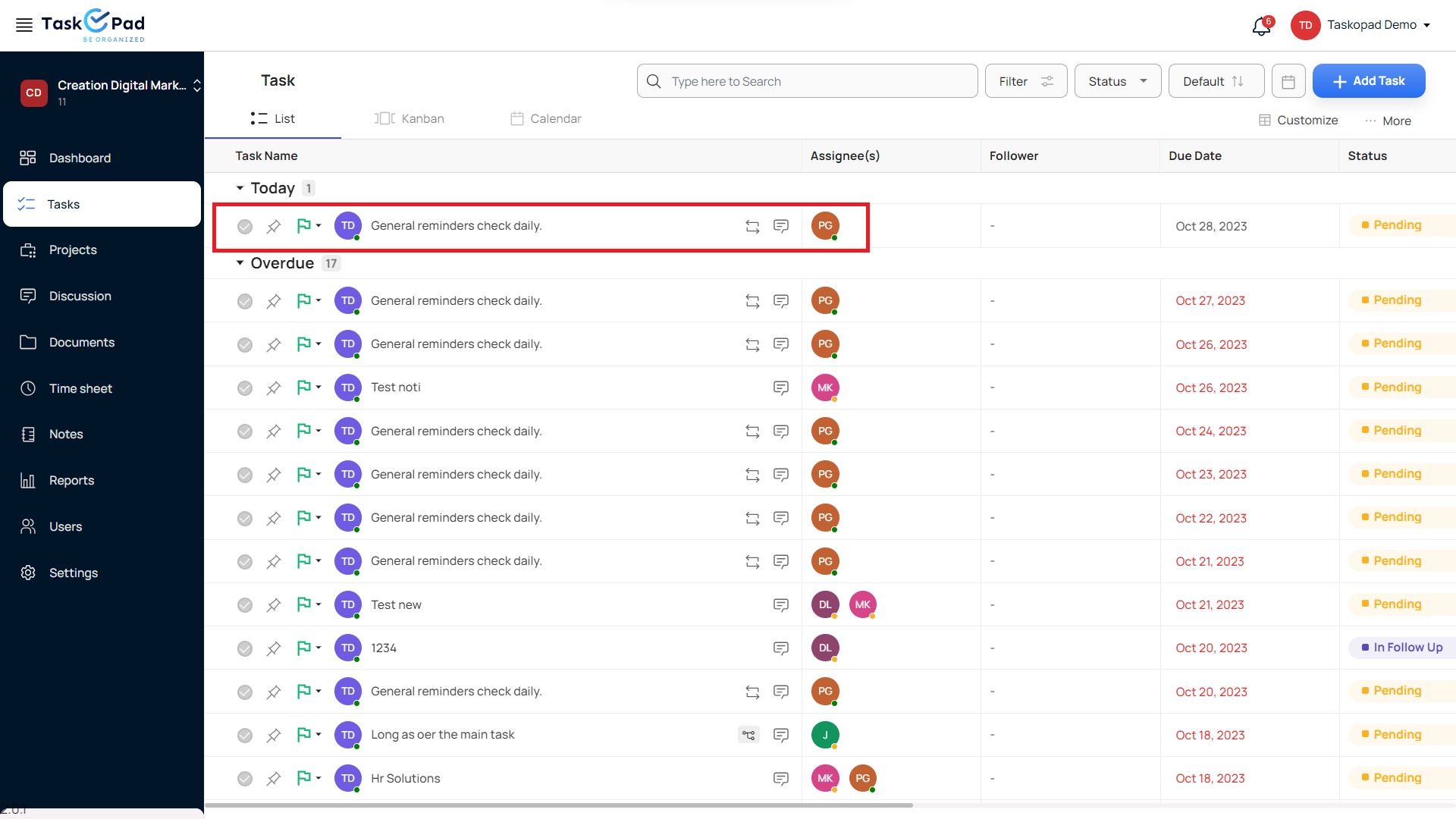
**Step-1**
In order to Stop Recurring tasks, Go to any Recurring task on your screen.
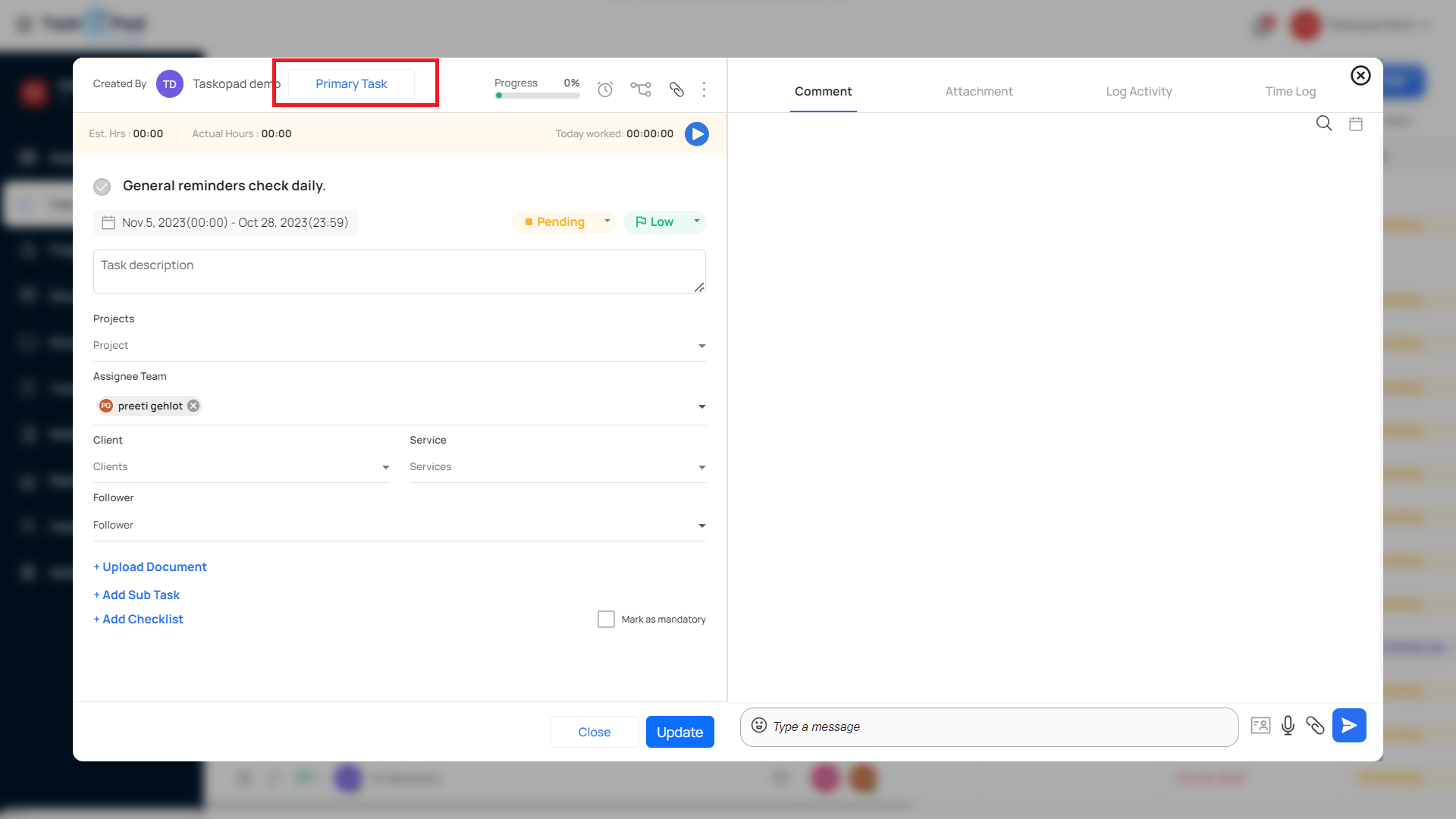
**Step 2**\
\
Click on Primary Task in the Top Right Corner.
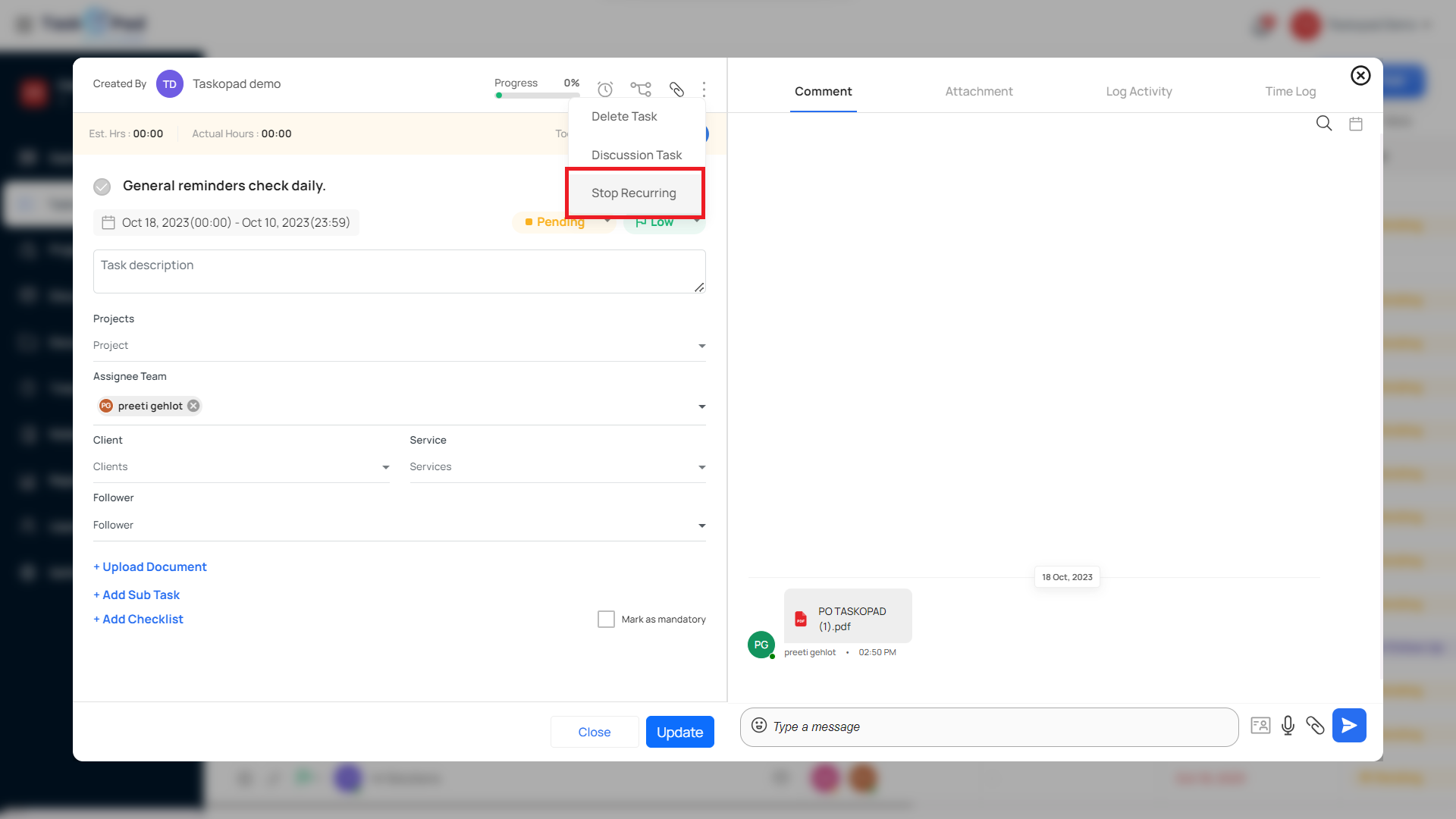
**Step 3**\
\
In the Primary task, Click on 3 dots and Select Stop Recurring.